The Ultimate Setup Guide for Your Studio3 Wireless
The Studio3 Wireless occupies a familiar place in many listeners' lives: a stylish, bass-forward over-ear headphone designed for everyday listening, commuting, and casual work-from-anywhere setups. This guide walks through everything a new owner or prospective buyer needs to know — from unboxing and first-time setup to advanced tips, real-world use cases, troubleshooting, and a clear buying checklist. It focuses on practical advice buyers typically care about: comfort, noise cancellation, battery life, connectivity, call quality, and sound character.
Introduction: Who the Studio3 Wireless is For
The Studio3 Wireless is best suited to listeners who prioritize a lively, punchy sound and smooth integration with mobile devices — particularly phones and tablets. Buyers who value strong bass, a comfortable clamshell for daily travel, and simple Bluetooth connectivity will find a lot to like. Conversely, anyone looking for totally neutral sound for mixing, or the very latest in active noise cancellation (ANC) performance, may want to compare alternatives first.
What's in the Box and First Steps
Typical contents include the headphones themselves, a soft carrying case, an audio cable for wired use, and a USB charging cable. Before first use, it is good practice to fully charge the headphones — this ensures the battery meter on connected devices begins at a reliable reference point and eliminates early interruptions during firmware updates or pairing.
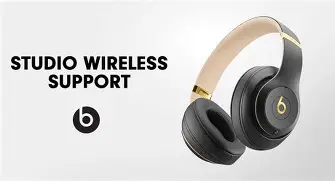
First-Time Charging and Battery Tips
Charge the Studio3 until the LED indicates a full battery (refer to the quick start guide for the exact LED behavior). Beats advertises extended playback times with ANC engaged and even longer run times without ANC. A brief "fast charge" function provides several hours of listening from a short charge, which is handy when time is limited.
Initial Pairing (Basic)
To pair for the first time, ensure the headphones are powered off. Press and hold the power button until the LED shows the pairing indicator, then open the Bluetooth settings on the phone or tablet and select the Studio3 from the list. For Apple devices, the integration is typically quicker and more seamless if the device supports the associated pairing chip — pairing prompts may appear automatically on-screen.
Detailed Product Review and Analysis
Design and Build
The Studio3 Wireless uses molded plastics and metal-reinforced hinges aimed at balancing durability with a lightweight feel. The headband typically has cushioning, and ear cups are plush — designed for long listening sessions. The aesthetic prioritizes a modern, minimalist look, which many buyers find attractive. Over time, owners should watch for normal wear on ear cushions and hinge joints; gentle handling and storing the headphones in the provided case extend longevity.
Comfort and Fit
Comfort is one of the Studio3's strengths: the ear cups sit around the ears with a soft clamp force. This makes them suitable for long commutes, office days, and flights where prolonged wear is expected. However, head size and personal preference affect fit, so anyone with an unusually large or small head should test fit where possible. The lightweight construction reduces neck strain, but the clamping force can feel significant for some users after many hours.
Sound Quality and Signature
Studio3 Wireless is known for a bass-focused, V-shaped sound profile: boosted low end, brightened highs, and midrange slightly recessed by comparison. That profile works well for modern pop, electronic, and hip-hop — genres where impact and energy are priorities. That same characteristic makes them less ideal for critical listening or mixing where a flat response is preferred. The onboard EQ (available through companion apps) lets listeners tailor the sound to taste, flattening bass if they need a more neutral presentation for casual monitoring.
Active Noise Cancellation (ANC)
The ANC on Studio3 reduces background noise and is effective for many common scenarios like subway rides and cafe ambient noise. It generally does a good job with steady low-frequency sounds but may not match the finest ANC implementations on the market when encountering variable or high-frequency noise. For predictable, steady noise (engine hum, air conditioning), ANC is very useful; for highly dynamic environments, results vary.
Shop the latest Audio & Headphones picks on Amazon.
See Deals →Battery Life and Charging
Battery life is a frequent decision factor. Studio3 provides long listening times with ANC engaged and extends further with ANC turned off. The fast-charge capability means a short charging window can meaningfully extend playtime when the user is in a hurry. For everyday users, the combination of long battery life and quick top-ups makes the headphones reliable for commutes, longer workdays, and travel.
Connectivity, Codecs, and Companion App
Connectivity is straightforward: Bluetooth pairing supports SBC and AAC codecs, with seamless behavior on many mobile platforms. The headphones pair faster and switch smoothly with compatible Apple devices thanks to the integrated pairing chip, which many buyers appreciate for multi-device life. The Beats companion app provides EQ customization and firmware updates where available; it is worth checking for periodic updates that can improve performance or address bugs.
Microphone and Call Quality
The Studio3's microphone setup is designed for casual calls and voice assistant use. Indoor calls and quiet environments yield clear voice pickup; in noisy outdoor conditions, call clarity can be reduced. Buyers who need studio-quality voice capture for frequent professional calls should consider a dedicated headset or an external mic, but for everyday phone calls and video chat, the Studio3 performs adequately.
Controls and Usability
On-ear controls allow play/pause, track skip, volume, and call handling. The layout is simple and usable without looking. Power management, ANC on/off, and Bluetooth pairing are handled via dedicated buttons; familiarity improves with use. Many users appreciate the tactile feedback and predictability of controls compared with touch-sensitive competitors.
Real-World Use Cases
- Daily commute: ANC reduces steady transport noise; long battery life covers multi-day use without frequent charging.
- Remote work and video calls: Comfortable for long sessions and convenient for switching between devices.
- Travel: Easily packed in a soft case; fast-charge capability is useful during layovers.
- Casual listening and workouts: Great for gym sessions that aren't sweat-intensive; not ideal for heavy perspiration or very rugged use.
- Home studio reference: Not recommended as primary mixing headphones due to bass emphasis; fine for quick checks and casual monitoring.
Pros & Cons
Pros
- Comfortable for extended wear: Soft ear cushions and reasonable clamp make them suitable for long sessions.
- Stylish, recognizable design: Modern aesthetic that many buyers find appealing.
- Bass-forward sound: Engaging presentation for pop, EDM, and hip-hop listeners.
- Good battery life with fast charging: Long runtimes and quick top-ups are convenient for travel and heavy use.
- Seamless pairing with compatible devices: Quick setup and device switching for mobile ecosystems.
Cons
- Not the most neutral sound signature: Not ideal for mixing or those who prefer flat response.
- ANC is competent but not class-leading: Alternatives may provide stronger cancellation in varied environments.
- Call performance in noisy outdoor settings can be variable: Users who take many calls outdoors may notice limitations.
- Build quality favors style over ruggedness: Care is required to avoid wear on padding and hinges.
- Limited codec support for high-resolution Bluetooth: No support for some higher-bandwidth codecs on all platforms.
Comparison Table: Studio3 Wireless vs. Common Alternatives
| Feature | Studio3 Wireless | Sony WH-1000XM3 (approx.) | Bose QC35 II (approx.) |
|---|---|---|---|
| ANC Effectiveness | Good for steady noise; effective on commutes and flights | Top-tier ANC for variable and complex noise | Very strong, natural-sounding ANC |
| Battery Life (with ANC) | Approx. 22 hours (longer without ANC) | Approx. 30 hours | Approx. 20 hours |
| Codec Support | SBC, AAC (no aptX on many models) | SBC, AAC, aptX, aptX HD (varies by device) | SBC, AAC (no aptX) |
| Weight | Approx. 260 g | Approx. 255 g | Approx. 235 g |
| Best For | Listeners who want punchy sound, long battery, and easy mobile pairing | Listeners who want the best ANC and balanced sound | Listeners who want natural ANC and balanced comfort |
Setup Guide: From Unboxing to Daily Use
Step 1 — Inspect and Charge
Unpack the headphones and accessories, confirm cables and case are present, then connect the charging cable to a USB power source. Allow a full charge before extended first use. This avoids mid-setup interruptions and ensures the device is ready for firmware updates.
Step 2 — Pairing with a Phone or Tablet
Power on the headphones and enter pairing mode by following the quick start sequence (press and hold the power button until the indicator lights flash). Open Bluetooth settings on the device, locate the Studio3 in the device list, and select it. For iOS devices compatible with the quicker pairing chip, on-screen pairing prompts may appear automatically.
Step 3 — Install the Companion App and Check Firmware
Install the Beats companion app where available, sign in if required, and check for firmware updates. Firmware updates can improve battery management, connectivity, and ANC behavior. If no companion app is available on the platform, check Bluetooth settings for update prompts or consult the official support pages for firmware instructions.
Step 4 — Customize EQ and Controls
Use the app's EQ presets or manual adjustments to adapt the Studio3 sound signature to your taste. Reducing bass slightly can help if the headphones sound too boomy in some recordings. Assign which controls handle voice assistant or call functions if the app exposes control configuration.
Shop the latest Audio & Headphones picks on Amazon.
See Deals →Step 5 — Best Practices for Everyday Use
- Keep the headphones in their case when not in use to protect ear pads and hinges.
- Avoid extreme temperatures and prolonged exposure to moisture.
- Perform routine charging cycles (don’t leave fully depleted for long periods).
- When traveling, switch to airplane mode on devices if airline restrictions apply and use the wired cable if desired.
Troubleshooting Common Issues
Pairing Problems
If the headphones won't appear in the Bluetooth list, ensure they are in pairing mode and that any previously paired device is out of range or has Bluetooth disabled. On the phone, "forget" the headphone entry and try again. Rebooting the phone and fully powering down/up the headphones often resolves stubborn cases.
Battery Reporting and Charging Concerns
If the battery level reported by the phone appears incorrect, fully charge the headphones, then restart both the headphones and the connected device. Firmware updates can correct battery reporting anomalies; check the companion app periodically.
Poor Call Quality
Move to a quieter, less wind-exposed location if possible. Wind and traffic noise can degrade voice pickup. Using the headphone’s ANC can sometimes improve voice clarity by reducing background noise, but in high wind conditions a dedicated external mic may still be necessary for consistent clarity.
Accessories and Care
Consider non-proprietary accessories such as replacement ear cushions, a travel-friendly hard case for rugged protection, and a quality audio cable if passive wired use is required. Avoid leaving the headphones in direct sunlight or extreme humidity. Clean ear pads with a slightly damp cloth and mild soap if needed; do not submerge any components.
Buying Guide: How to Decide
When considering the Studio3 Wireless, weigh these buyer priorities:
- Sound preference: If the buyer prefers a punchy, bass-forward sound for casual listening, Studio3 is a strong candidate. If neutrality is essential (mixing, mastering), look toward studio monitors or nominally flat reference headphones.
- ANC importance: For frequent flyers or noisy commutes, compare real-world ANC tests. Studio3 ANC is effective for many users but not always the best in class.
- Battery expectations: Studio3 offers long playtime in everyday use. If multi-day playback without charging is a priority, verify the vendor's claims and compare to competitors.
- Device ecosystem: Owners of certain mobile devices may appreciate simplified pairing and device switching. Confirm compatibility and any companion app features before purchase.
- Build and portability: If the headphone will see heavy travel use, consider sturdier cases and assess how the model folds and stores.
- Microphone and call needs: Frequent outdoor calling may require better mic performance than on-board options provide.
Final Thoughts and Conclusion
The Studio3 Wireless is a well-rounded choice for listeners who want bold, engaging sound, comfortable long-wear design, and dependable battery life. It shines for everyday listening, commuting, and casual remote work, especially for those who prefer a lively bass response and simple mobile pairing. While not the ultimate tool for professional mixing or the leader in noise-cancellation technology, it reliably serves the needs of most consumers who prioritize style, comfort, and fun listening over absolute neutrality.
Setting up the Studio3 Wireless is straightforward: charge fully, pair cleanly with devices, check for firmware, and tune the sound with the companion app if desired. With a few care habits — storing in the case, avoiding moisture, and keeping firmware updated — the headphones can provide dependable performance for years. For anyone choosing between ANC headphones, the Studio3 deserves consideration when the desired mix includes punchy low end, dependable battery life, and seamless daily usability.